You have 200 supplier invoices to key in by Friday, and two people to do it. Manual data entry at that volume invites typos, missed fields, and a payroll that never quite reconciles. Picking the wrong automation tool just moves the bottleneck somewhere else.
This guide walks through what to compare before you buy: how a WhatsApp-native platform like Tasks.Bot handles task creation, approvals, and reporting, plus pricing, security, and beta status. By the end, you will know which questions to ask vendors and which features your team actually needs.
What Is Tasks.Bot? The WhatsApp-Native Task Platform
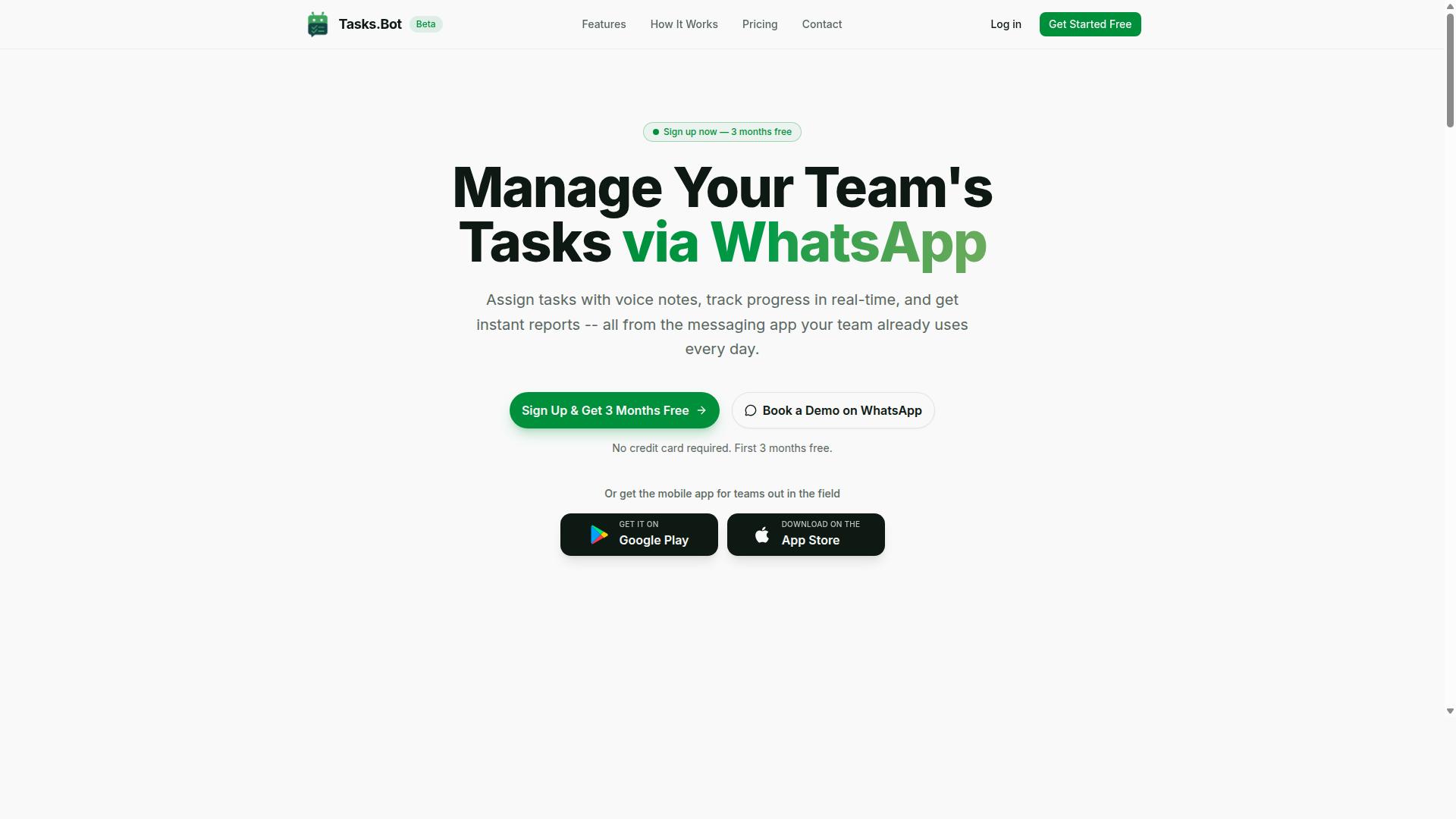
Tasks.Bot is a task management platform that operates entirely within WhatsApp, enabling teams to assign tasks, track progress, and receive reports without leaving the messaging app. It is a SaaS solution built around the tools people already open dozens of times a day, rather than another dashboard that requires a new login.
For anyone evaluating data entry automation software, this approach is worth understanding. Most platforms in this buyer's guide ask teams to adopt a new interface. Tasks.Bot takes the opposite route: it meets teams where they already work.
The core value proposition is simple. Teams that already rely on WhatsApp for coordination do not need to install separate apps or create separate accounts. Task assignment, progress tracking, and reporting all happen inside the messaging app itself.
That removes a common barrier in software selection: adoption. When a tool lives inside a channel employees already use daily, the learning curve shrinks and the resistance to change drops with it.
Tasks.Bot also offers a mobile app for field teams. This matters for operations where staff work away from a desk, such as site visits, deliveries, or inspections, and need to update task status without returning to a computer.
The service is currently in beta and offers a free trial period. For buyers, that combination is useful. A trial lets a team test whether WhatsApp-native task management fits its workflow before committing budget.
Tasks.Bot is available globally, which suits distributed teams spread across regions and time zones. There is no geographic restriction to weigh during evaluation.
Where does this fit in a broader automation stack? Platforms like Tasks.Bot handle the human side of workflow automation: who does what, by when, and what the status is. Dedicated data entry tools handle the machine side, such as OCR technology, intelligent document processing, and data extraction from invoices or forms.
Many teams need both. A document capture system pulls structured data from scanned paperwork, while a task platform ensures a person reviews exceptions, approves results, or resolves flagged entries. Keeping that human layer inside WhatsApp reduces the number of systems staff must monitor.
For a buyer, the key question is whether a tool lowers friction or adds it. Tasks.Bot is designed for teams that want task management without leaving the app they already have open. If that describes your operation, it belongs on your shortlist.
Why Tasks.Bot Is a Smart Choice for Data Entry Automation
Tasks.Bot streamlines data entry automation by using AI to interpret natural language and voice notes, eliminating manual form filling and reducing errors. Instead of asking teams to learn a new platform, it works entirely inside WhatsApp, a tool most people already use every day.
That choice matters for software selection. Traditional data entry automation software often demands new accounts, training sessions, and desktop installations. Tasks.Bot asks for none of that. Team members don't need to install anything or create new accounts, which removes the biggest barrier to adoption in the field.
The AI layer handles the heavy lifting. It understands user intent and creates tasks directly from messages, so raw input becomes structured, actionable work. Enterprise-grade encryption protects conversations and task data, which are never shared or used for training.
The sections below explain the two mechanisms behind this approach: natural language and voice note task creation, and the approval, automation, and reporting layer that keeps work moving.
Natural Language and Voice Note Task Creation
Tasks.Bot uses AI to understand natural language and voice notes, allowing users to create tasks by simply typing or speaking in WhatsApp.
Voice notes work the same way. This matters because unstructured data, the kind people naturally produce in chat, is exactly what slows down manual entry.
The practical benefits are straightforward:
- Speed: task initiation happens in seconds, not minutes of typing into fields
- Accuracy: details come straight from the source message, reducing transcription mistakes
- Accessibility: no new accounts or installations are needed to get started
- Field readiness: voice capture suits teams working away from a desk
For buyers comparing data entry automation software, this is a meaningful differentiator. Many tools reduce typing but still require a structured input screen. Tasks.Bot removes that step entirely, letting the message itself become the data capture event.
Approvals, Automations, and Instant Reports
Tasks.Bot automates approval workflows and generates instant reports, ensuring data accuracy and real-time visibility into task progress.
Automations keep projects on track. Smart deadline reminders and automatic task assignment mean work moves forward without someone manually chasing updates, which cuts the oversight burden on supervisors.
Reporting closes the loop. Instant reports summarize task status, completion rates, and team performance, so managers can make decisions from current information rather than waiting for a compiled update.
Together with face-verified attendance, live GPS tracking, tasks on a map, and a live day tracker, these features give a fuller picture of field operations. The result is less manual oversight, faster approvals, and cleaner data flowing through the workflow.
For teams weighing data entry automation software, Tasks.Bot is a smart choice because it pairs AI-driven capture with the workflows that follow: approval, automation, and reporting, all inside WhatsApp. A 3-month free trial with no credit card required makes it easy to evaluate against your own processes before committing.
Key Features That Make Tasks.Bot Stand Out
Tasks.Bot distinguishes itself with advanced features like face-verified attendance and live GPS tracking, specifically designed for field teams. While many task management tools focus on desk-based work, Tasks.Bot addresses the realities of teams that operate on the move.
The platform also covers shifts, leave, hours, and payroll-ready reporting, giving managers a single place to handle workforce tracking alongside everyday task coordination. Everything runs inside WhatsApp, so team members do not need to install anything or create new accounts.
The following sections break down how each of these features works in practice, from attendance verification to hours tracking that feeds directly into payroll.
Face-Verified Attendance and Live GPS Tracking for Field Teams
Tasks.Bot uses face verification and live GPS tracking to ensure field staff attendance is accurate and locations are verified in real time.
Live GPS tracking complements attendance by showing the real-time locations of field staff on a map. This improves dispatch decisions and monitoring without constant phone calls or check-ins.
Both features are integrated within WhatsApp, so no extra hardware is needed. Field staff use the phone they already carry, and managers view locations and attendance from the same chat-based interface. For teams spread across sites, this removes the gap between task assignment and knowing who is actually available.
The value is straightforward: accurate attendance records, verified locations, and faster task allocation. Teams with field staff get visibility that generic task management tools simply do not offer.
Shifts, Leave, Hours, and Payroll-Ready Tracking
Tasks.Bot simplifies shift scheduling, leave management, and hours tracking, producing payroll-ready data without manual spreadsheets.
Leave management works the same way. Requests and approvals happen within the app, so managers can review and respond without switching between tools. This keeps records consistent and reduces the back-and-forth that typically slows down approvals.
The system also generates payroll-ready reports, which cuts administrative overhead significantly.
For businesses that manage hourly workers or shift-based teams, this combination of scheduling, leave, and hours tracking in one place removes a major source of errors. Payroll runs become faster and more accurate because the underlying data comes from verified clock-ins rather than manual entries.
Pricing and Plans: Simple, Transparent, Affordable
Tasks.Bot offers a single 'Full Access' plan with all features included, priced at ₹200 per member per month or ₹1,200 per year per member. That is the entire pricing structure. There are no starter tiers, no premium add-ons, and no feature gates that force an upgrade mid-project.
For anyone comparing data entry automation software, this flat approach removes a common headache. Many tools advertise a low entry price, then charge extra for higher page volumes, advanced OCR technology, or validation rules. With Tasks.Bot, every feature is included in the one plan, so the price you see is the price you pay.
Pricing is available in Indian Rupees and US Dollars, and the site includes a 'Select currency' option so you can confirm which one applies before you commit. That matters for teams working across regions, since currency confusion is one of the small frictions that makes software selection harder than it needs to be.
Monthly vs Annual: The Real Numbers
The monthly plan at ₹200 per member per month suits teams that want to test the tool on live work before committing. The annual plan at ₹1,200 per year per member works out to a 50% saving, effectively giving you twelve months for the price of six.
Here is how that scales across team sizes:
| Team Size | Monthly Cost (per month) | Annual Cost (per year) | Annual Saving |
|---|---|---|---|
| 1 member | ₹200 | ₹1,200 | ₹1,200 |
| 5 members | ₹1,000 | ₹6,000 | ₹6,000 |
| 10 members | ₹2,000 | ₹12,000 | ₹12,000 |
| 25 members | ₹5,000 | ₹30,000 | ₹30,000 |
Per-member pricing keeps the maths predictable as you scale. A small team processing invoices or forms can start with a handful of seats, while a larger operation handling batch processing across departments simply multiplies the same figure. There is no volume penalty and no renegotiation required.
For a buyer weighing data entry automation software, that predictability is worth as much as the headline number. Budgeting for document scanning, data extraction, and workflow automation becomes a straightforward line item rather than a variable cost that shifts with usage.
Beta Status and What It Means for Buyers
Tasks.Bot is currently in beta. That is worth noting plainly, because it cuts both ways. On one hand, the platform is still evolving, so features and behaviour may change over time. On the other, beta pricing often reflects an early-stage rate, and early users get direct exposure to how the product develops.
The practical takeaway for software selection is simple: if your workflows are stable and you want a low-risk way to adopt data capture automation, the current pricing is hard to beat. If your requirements are highly specialised, it is reasonable to confirm fit during the free period before committing to an annual plan.
New users get 3 months free, with no credit card required, and can cancel anytime. That removes the usual risk from software selection. You can run real documents through the system, check data accuracy and throughput on your own files, and only then decide whether the monthly or annual plan makes sense.
Why Transparent Pricing Matters
Hidden costs are one of the most common complaints in this category. Setup fees, per-page overages, and charges for validation rules or template recognition all tend to surface after a contract is signed. Tasks.Bot avoids that pattern entirely by putting every capability behind one price.
For teams evaluating intelligent document processing or robotic process automation for the first time, this simplicity shortens the buyer's guide process considerably. Instead of building a spreadsheet of feature-to-tier mappings, you compare one number against your headcount and move on to the questions that actually matter, such as whether the tool handles your document types and integrates with your existing workflow automation.
The verdict is clear. Tasks.Bot pairs full feature access with straightforward per-member pricing, a genuine 50% annual saving, and a free three-month start with no card required. For most teams, that combination makes the pricing question the easiest part of the decision.
Trust Signals: Security, Beta Status, and Refund Policy
Tasks.Bot prioritizes security and transparency, offering a refund policy and openly communicating its beta status. For anyone comparing data entry automation software, these three signals matter more than a polished marketing page. They tell you how a vendor handles your data, how honest it is about product maturity, and what happens if the tool does not fit your workflow.
This section of the buyer's guide explains how to read each signal, what questions to ask, and how to weigh them before committing to any automation platform.
Security comes first because data entry automation software touches some of your most sensitive information. Invoice processing, form processing, and document scanning often involve customer records, payment details, and internal documents. Before adopting any tool, confirm how data moves through the system and who can access it.
- Encryption: Ask whether data is encrypted in transit and at rest. This protects structured data, unstructured data, and semi-structured data while it is processed.
- Access controls: Find out who inside the vendor can view your documents and whether activity is logged.
- Deployment choice: Cloud deployment, on-premises deployment, and hybrid deployment each shift where your data lives and who is responsible for protecting it.
- Retention and deletion: Understand how long documents are stored and how you can request removal.
Tasks.Bot keeps its security posture visible rather than buried. The site includes a Book a Demo on WhatsApp option, so you can ask direct questions about how your data is handled before you commit. That kind of open channel is a practical trust signal in itself.
Beta status is the second signal, and it deserves a balanced read. A product in beta is under active development, which usually means improvements arrive quickly and feedback shapes the roadmap. That can be an advantage if your needs are evolving and you want influence over what gets built next.
The trade-off is stability. Beta software may still contain bugs, and occasional rough edges are normal at this stage. For data entry automation software, that risk matters most in high-volume workflows where data accuracy, error rate, throughput, and processing speed directly affect operations.
Experts recommend a staged approach when evaluating any beta tool for business use:
- Start small. Run a limited batch of documents alongside your current process rather than switching everything at once.
- Check the output. Compare extracted results against your existing records to gauge reliability on your own document types.
- Define a fallback. Keep a manual or existing path available until you are confident in results.
- Ask about the roadmap. A vendor that communicates openly about development plans is easier to plan around.
Tasks.Bot is upfront about being in beta, which lets you set expectations honestly instead of discovering limitations later.
The refund policy is the third signal, and it is often the easiest to verify. Tasks.Bot mentions a refund policy in the footer of its site, which gives buyers a stated path if the software does not meet their needs. A visible refund policy reduces the risk of trying a product that is still maturing.
When you evaluate any vendor, treat the refund terms as part of the product, not fine print. Confirm what is covered, how long the window lasts, and what steps you need to take. A clear policy paired with open communication about beta status suggests a vendor that expects scrutiny and is prepared for it.
Put together, these trust signals point to a straightforward conclusion. Tasks.Bot is transparent about its beta stage, publishes a refund policy, and offers a direct way to ask security questions through its Book a Demo on WhatsApp option. For buyers working through this buyer's guide, that combination is a reasonable basis for a confident, low-risk trial.
Who Should Use Tasks.Bot
Tasks.Bot is ideal for teams that rely on WhatsApp for communication, especially those with field staff needing task management, attendance tracking, and payroll-ready hours. The platform is built for organizations where work happens away from a desk, and where updates need to flow back to the office without anyone opening a separate app.
Because it runs on WhatsApp, there is no new tool for staff to learn. That single design choice shapes exactly who gets the most value from it.
If your team already coordinates through WhatsApp groups, Tasks.Bot fits into a habit your people already have. Field staff can report progress, log attendance, and confirm completed tasks through the same messaging app they use all day. Managers get structured records instead of scattered chat messages that are hard to track or verify.
The strongest fit is a team that meets three conditions: WhatsApp is the primary communication channel, a meaningful share of staff work remotely or on-site, and someone in the office needs reliable hours and task data for payroll or reporting. When all three are true, Tasks.Bot solves a real operational gap rather than adding another layer of software.
Teams spread across multiple locations, shifts, or job sites tend to struggle most with visibility. Tasks.Bot addresses that by keeping task status and attendance in one place, so remote coordination does not depend on phone calls or end-of-day summaries.
Small businesses benefit because they can adopt it without a heavy setup or a large IT budget. Larger organizations benefit because the same WhatsApp-based workflow scales across many field workers without forcing every crew to install and master a new platform.
Tasks.Bot is global and accessible to anyone with WhatsApp, so location is not a barrier. The site notes that hundreds of teams already use the service, which suggests the fit is broad rather than tied to one industry or region.
Typical scenarios where it excels include:
- Delivery operations where drivers need to confirm stops, log hours, and flag issues from the road
- Construction crews that move between sites and need attendance and task records tied to each location
- Sales teams working in the field who need to update activity without returning to a laptop
- Remote teams that coordinate primarily through chat and need a record of who did what, and when
It is less suited to teams that already run everything through a full enterprise suite and have no WhatsApp usage. In that case, the natural advantage of meeting staff where they already are disappears.
For everyone else, the deciding question is simple. If your field staff live in WhatsApp and your office needs accurate task and hours data, Tasks.Bot is built for exactly that situation.
Final Verdict: Choosing Tasks.Bot with Confidence
Tasks.Bot offers a compelling solution for teams seeking WhatsApp-native task management with robust automation and field staff features. Rather than forcing teams to adopt yet another standalone dashboard, it works inside the messaging app most people already check dozens of times a day. That single design decision shapes everything else about the product, from how tasks get created to how quickly they get completed.
For a buyer working through this guide, the question is rarely whether automation is useful. It is whether a specific tool will actually get used by the people on the ground. Software that field staff ignore delivers no return, no matter how impressive the feature list looks during a demo.
WhatsApp integration removes the biggest adoption barrier in task management: the app switch. Field staff, supervisors, and managers stay in a familiar interface instead of learning a new system. For distributed teams, that familiarity often matters more than any advanced setting.
The AI-powered task creation layer reduces the manual work of turning messages, instructions, and updates into tracked assignments. Combined with the field staff tools, it gives operations teams a way to assign, follow up, and close out work without chasing people across multiple channels.
Transparent pricing matters just as much. Buyers comparing data entry automation software often struggle to map quoted rates to real usage. A clear pricing structure makes software selection easier and budget conversations shorter.
Who is Tasks.Bot built for? Teams already running their operations on WhatsApp. If your coordinators send instructions through chat and your field staff reply in the same thread, the fit is immediate. If your organisation has standardized on a different communication stack, the value proposition is weaker, and that honesty matters when evaluating any tool.
The core strengths come down to a short list:
- WhatsApp-native workflow, so adoption does not depend on training sessions
- AI-powered task creation, which cuts manual setup effort
- Field staff tools designed for people working away from a desk
- Transparent pricing, which keeps evaluation and budgeting straightforward
If you want to see how this works for your own operation, the fastest route is a demo on WhatsApp. You can also reach the team directly by phone at +91 97143 42522 or by email at [email protected]. Both channels put you in touch with people who can answer questions about your specific use case.
Come prepared with a few real examples: a typical task your team assigns, how updates currently flow back, and where things tend to fall through the cracks. That context turns a general walkthrough into a practical assessment of fit.
For teams already using WhatsApp as their operational backbone, the recommendation is straightforward. Tasks.Bot meets you where your work already happens, adds automation without demanding a platform migration, and keeps pricing clear enough to evaluate with confidence. Make the call, send the message, and judge it against your own workflow.
Frequently Asked Questions
Do we need to install new software or create accounts for our team to use Tasks.Bot?
No. Tasks.Bot operates entirely within WhatsApp, so your team members don't need to install anything or create new accounts-they simply use the messaging app they already have. For field teams, Tasks.Bot also offers a mobile app to support on-the-go work. This makes onboarding much faster than tools that require every user to adopt a new platform.
How much does Tasks.Bot cost, and is there more than one plan?
Tasks.Bot offers a single 'Full Access' plan with all features included, so you don't have to compare tiers or pay extra to unlock capabilities. Pricing is available in Indian Rupees (₹) and US Dollars ($): ₹200 per member per month, or ₹1,200 per year per member on the annual plan (a 50% saving).
Can Tasks.Bot handle task creation for teams that aren't comfortable typing everything out?
Yes. Tasks.Bot uses AI to understand natural language and voice notes, so tasks can be created by simply speaking or typing a message in WhatsApp. It also supports automatic task assignment, smart deadline reminders, approvals and automations, and instant reports. This is especially useful for field staff who need to log tasks quickly from their phones.
Does Tasks.Bot support attendance tracking and hours for payroll?
Yes. Tasks.Bot includes face-verified attendance and live day tracking, along with payroll-ready hours. Combined with tasks on a map for field teams, this gives managers visibility into who is working, where, and for how long-without chasing updates across multiple apps.
Is Tasks.Bot available in my country?
Tasks.Bot is a SaaS product available globally, with no country restrictions mentioned, and it works via WhatsApp and mobile apps. The service is currently in beta, and the website offers a 'Book a Demo on WhatsApp' option if you'd like to see it in action first. You can also reach the team at [email protected] or +91 97143 42522 with questions.
What should I check before committing to any data entry automation tool?
Start by confirming where your team already communicates and how much change they'll tolerate-tools that live inside existing apps, like Tasks.Bot does with WhatsApp, typically see faster adoption. Then verify the specific capabilities you need (such as voice input, attendance, reporting, or approvals), check whether pricing is per member and how it scales, and ask about the refund policy before purchasing. Since pricing and features vary widely between vendors, always confirm current details directly with each provider rather than relying on secondhand comparisons.
Recommended Resources: